
Managing inventory on Amazon is a big deal for sellers who want to succeed. With so many products out there, it’s important to have a solid system to keep track of what you have. A good inventory management system helps you predict what you’ll need, avoid running out of stock, and not buy too much of anything. This can save you money and help your business grow. In this guide, we’ll go over the ins and outs of Amazon inventory management, the challenges you might face, and some tips to make it all easier. Plus, we’ve got a free PDF for you to download that can help you get started!
Key Takeaways
- Effective inventory management is key to preventing stockouts and overstocking.
- Utilizing Amazon FBA can simplify your inventory processes significantly.
- Regularly track your inventory levels to avoid unexpected shortages.
- Automate your replenishment processes to stay ahead of customer demand.
- Use data analytics to make informed decisions about your stock levels.
Understanding Amazon Inventory Management
The Basics of Inventory Management for Amazon Sellers
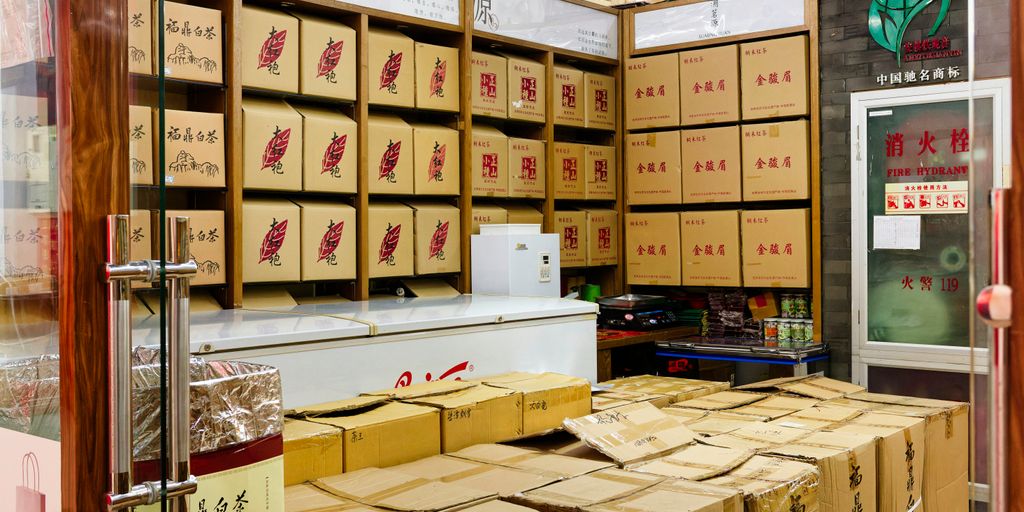
Inventory management is super important if you want to do well selling on Amazon. It’s all about keeping track of your products, guessing how much you’ll sell, and making sure you have enough stuff in stock. You don’t want to run out of popular items, but you also don’t want to end up with a ton of stuff that just sits there. Amazon sellers need a good system to handle everything, from talking to suppliers to looking at sales numbers and getting orders out the door. Being proactive is key; it helps you stay ahead of the game instead of just reacting to problems.
Why Inventory Management is Crucial for Amazon Businesses
Amazon is a tough place to sell, and how you handle your inventory can really make or break you. Good inventory management cuts costs and makes customers happy because they get their stuff on time and you always have what they want. Optimized inventory can boost your seller rating, improve where you show up in search results, and even get you into cool programs like Amazon Prime. It’s not just about having stuff; it’s about having the right stuff at the right time.
Common Inventory Management Challenges on Amazon
Managing inventory on Amazon isn’t always easy. Here are some common problems sellers face:
- Forecasting Demand: Predicting what will sell and how much is tough, especially with changing trends and unexpected events. Using AI tools can help with this.
- Storage Fees: Amazon charges for storing your stuff, and those fees can add up fast if you have too much inventory. Keeping an eye on storage costs is important.
- Stockouts: Running out of popular items can lead to lost sales and unhappy customers. It’s a balancing act to keep enough stock without overdoing it.
Effective inventory management is not just about avoiding problems; it’s about maximizing your profits and staying competitive in a crowded marketplace. It requires a combination of planning, data analysis, and the right tools to keep your business running smoothly.
How Amazon FBA Inventory Management Works
Overview of Fulfillment by Amazon
Fulfillment by Amazon (FBA) is a game-changer for many sellers. Instead of handling storage, packing, and shipping yourself, you send your products to Amazon’s fulfillment centers, and they take care of the rest. It’s like having a giant, super-efficient warehouse at your disposal. Amazon handles everything from storing your items to shipping them directly to customers, and even managing customer service related to shipping. This can free up a ton of your time to focus on other aspects of your business, like product development and marketing. Understanding the ins and outs of FBA is key to Amazon FBA success.
Benefits of Using FBA for Inventory Management
There are several good reasons to use FBA. First, it can significantly reduce your workload. You don’t have to worry about packing boxes or standing in line at the post office. Second, FBA can improve your chances of winning the Buy Box, which can lead to increased sales. Third, your products become eligible for Amazon Prime shipping, which is a huge draw for many customers. Finally, Amazon handles customer service for FBA orders, saving you time and hassle. Here’s a quick rundown:
- Reduced workload
- Improved Buy Box chances
- Prime eligibility
- Amazon handles customer service
Key Considerations for FBA Sellers
While FBA offers many advantages, it’s not without its challenges. You need to carefully manage your inventory to avoid stockouts and overstocking. You also need to be aware of Amazon’s fees, which can eat into your profits if you’re not careful. Storage fees, in particular, can add up quickly if you have slow-moving inventory. It’s also important to understand Amazon’s policies and procedures to avoid any surprises. Keeping a close eye on your inventory performance is crucial.
FBA can be a great way to grow your Amazon business, but it’s important to do your homework and understand the costs and challenges involved. Don’t just blindly send products to Amazon without a solid plan in place. Make sure you’re tracking your sales, monitoring your fees, and adjusting your inventory levels as needed.
Step-by-Step Breakdown of FBA Inventory Management
Okay, so you’re using Fulfillment by Amazon (FBA). Great choice! But how does it actually work, step by step, when it comes to managing your stuff? Let’s break it down. It’s more than just sending boxes to Amazon; it’s about making sure you have the right amount of product at the right time.
Listing and Storing Products
First, you need to tell Amazon what you’re sending. This means creating a product listing in Seller Central. Make sure your listing is accurate! Include all the details: title, description, images, and especially the correct product identifiers (like UPC or EAN). This helps Amazon properly identify and categorize your items. After the listing is set, you prepare your products according to Amazon’s guidelines (packaging, labeling, etc.) and ship them to the designated fulfillment center. Amazon then takes over the storage. It’s important to understand product listing details to avoid issues later.
Tracking Inventory
Amazon gives you tools to see what’s happening with your inventory in real-time. Seller Central has an inventory management dashboard where you can monitor your stock levels, see how quickly products are selling (sales velocity), and set reorder points. This is super important because you don’t want to run out of popular items. Regularly check these metrics to stay on top of things. Here’s what you might track:
- Total Units in Stock
- Units Available
- Units in Transit
- Units in Reserve
Replenishing Stock
This is where things get tricky. You need to figure out when and how much to reorder. If you wait too long, you’ll run out of stock and miss sales. If you order too much, you’ll pay extra storage fees. It’s a balancing act. Consider these factors when replenishing:
- Lead time (how long it takes to get new inventory from your supplier)
- Sales trends (are sales increasing, decreasing, or staying steady?)
- Seasonality (do sales spike during certain times of the year?)
Accurately predicting demand is key to avoiding both stockouts and overstocking. Use historical sales data and consider any upcoming promotions or marketing campaigns that might affect sales. Don’t just guess; use the data Amazon provides to make informed decisions.
Strategies for Effective Inventory Control
Managing Lead Times for Replenishment
Okay, so lead times are super important. It’s basically the time it takes for your supplier to get your stuff to you after you order it. If you mess this up, you’re either stuck with no inventory or way too much. I try to keep a close eye on this, and communication with suppliers is key. If they’re slow, maybe it’s time to find someone else.
Automating Inventory Replenishment
Automation is a game-changer. I used to manually track everything, and it was a nightmare. Now, I use software that automatically reorders when my stock hits a certain level. It’s not perfect, but it saves me a ton of time and helps improve inventory management. Here’s a quick look at why automation helps:
- Reduces the risk of stockouts.
- Frees up time for other tasks.
- Helps to avoid overstocking.
Handling Excess Inventory Efficiently
Excess inventory is a killer. It ties up your money and costs you in storage fees. If you’ve got too much of something, consider running promotions or bundling it with other products. You could also look into Amazon’s liquidation options. I’ve had some success with flash sales, but you have to be careful not to devalue your brand.
I once had way too many fidget spinners (remember those?). I tried everything to get rid of them. Bundling them with other products, deep discounts, even giving them away with other purchases. Nothing really worked until I donated them to a local school. It wasn’t a financial win, but it felt good to get them out of my warehouse.
Best Practices for Amazon Inventory Management

How to Avoid Inventory Stockouts
Avoiding stockouts means knowing your inventory numbers like the back of your hand. It helps to set clear reorder points, keep a buffer, and track sales trends in real time. Here are some simple steps:
- Monitor sales closely each day
- Set up alerts when stock drops below a certain level
- Regularly review and adjust reorder thresholds
Staying proactive in inventory checks saves you from rushed decisions later. Sometimes, using tools like Helium 10 deals can really help you catch inventory dips before they hit hard.
Backup Fulfillment Plans for Inventory Shortages
It’s never a great time when you’re short on stock, but having a backup plan can ease the pressure when these situations arise. Consider these practical approaches:
- Establish relationships with secondary suppliers
- Arrange for temporary warehousing options
- Keep emergency shipments ready for unexpected surges
A small amount of extra planning now can prevent a big scramble later. Backup plans are like safety nets that catch you when things go sideways.
Utilizing Inventory Performance Metrics
Measuring performance isn’t just for big companies. By checking simple performance metrics, you can tell if your inventory moves smoothly or is causing bottlenecks. Consider tracking these key figures:
| Metric | Description | Ideal Range |
|---|---|---|
| Inventory Turnover | How often your stock sells and is replaced | 5-10 times/year |
| Days of Supply | How many days your current stock will last | 30-60 days |
| Order Fill Rate | The percentage of orders completed fully | 95% and above |
Using these data points, you get a clear picture of your system’s efficiency. A well-monitored metric guide helps in fine-tuning your strategies and avoiding surprises.
Leveraging Data for Inventory Optimization
Data is your friend when it comes to managing your Amazon inventory. It’s not just about tracking what you have; it’s about understanding why you have it and what you should do next. Let’s get into how you can use data to seriously improve your inventory game.
Using Inventory Analytics to Optimize Stock Levels
Analyzing your inventory data is the first step to making smarter decisions about how much stock to keep on hand. I remember when I started, I was just guessing. Big mistake! Now, I look at historical sales data, current trends, and sales velocity to fine-tune my reorder points. This helps me avoid those dreaded stockouts and also prevents me from overstocking items that just aren’t moving. It’s all about finding that sweet spot.
Here’s what I usually check:
- Historical Sales Data: What sold well last year during this time?
- Current Trends: Are there any new hot products?
- Sales Velocity: How quickly are items selling right now?
- Lead Times: How long does it take to restock?
Reducing Storage Costs Through Better Forecasting
Storage fees can eat into your profits if you’re not careful. Data analytics can help you forecast demand more accurately, so you can reduce stock levels during slow periods and avoid those unnecessary storage fees. I’ve found that even small improvements in forecasting can lead to big savings over time. It’s worth the effort to find an inventory management app that gives you good insights.
By understanding when demand is likely to dip, you can proactively adjust your inventory levels. This not only saves on storage costs but also frees up capital that can be used for other areas of your business.
Making Informed Decisions with Sales Data
Sales data is more than just numbers; it’s a story about your customers and your products. By analyzing this data, you can identify patterns, understand customer behavior, and make informed decisions about everything from product selection to pricing. I use sales data to:
- Identify top-selling products.
- Understand seasonal trends.
- Optimize pricing strategies.
- Improve product listings.
Here’s a simple table showing how I track sales data:
| Product | Last Month Sales | This Month (Projected) | Change | Notes |
|---|---|---|---|---|
| Widget A | 100 | 120 | +20% | Marketing campaign running |
| Widget B | 50 | 40 | -20% | Consider running a promotion |
| Widget C | 75 | 80 | +6.7% | Steady growth, no major changes needed |
By keeping a close eye on the data, you can make sure you’re always one step ahead.
Download Your Amazon Inventory Management PDF
Accessing the Free PDF Guide
Ready to take your Amazon business to the next level? We’ve compiled all the insights, strategies, and best practices discussed in this guide into a handy, downloadable PDF. This comprehensive resource is designed to be your go-to reference for mastering Amazon inventory management. It’s easy to access – just click the download button below, and you’ll have the guide at your fingertips. Think of it as your personal cheat sheet for Amazon success. You can also use competitor analysis tools to enhance retail success.
Benefits of the PDF for Amazon Sellers
This isn’t just another generic guide; it’s packed with actionable advice tailored specifically for Amazon sellers. Here’s what you’ll gain:
- A clear understanding of inventory management principles.
- Step-by-step instructions for optimizing your FBA operations.
- Strategies for avoiding costly stockouts and overstock situations.
- Insights into using data to make informed inventory decisions.
- Templates and checklists to streamline your processes.
This PDF is designed to save you time, reduce stress, and boost your profits. It’s a practical tool that you can implement immediately to see real results in your Amazon business.
How to Use the PDF for Your Business
So, you’ve downloaded the PDF – now what? Here’s how to make the most of it:
- Read it cover to cover: Familiarize yourself with all the concepts and strategies.
- Identify areas for improvement: Pinpoint the aspects of your inventory management that need the most attention.
- Implement the recommendations: Start applying the strategies and using the templates provided.
- Track your progress: Monitor your inventory metrics to see how the changes are impacting your business. Inventory management is key to success.
- Revisit and refine: Regularly review the PDF and adjust your strategies as needed to stay ahead of the curve.
Ready to take control of your Amazon inventory? Download our helpful PDF guide today! It’s packed with tips and tricks to help you manage your stock like a pro. Don’t miss out—visit our website now to get your free copy!
Wrapping It Up
So there you have it! Managing your inventory on Amazon doesn’t have to be a headache. With the right tools and strategies, you can keep track of your stock, avoid running out, and not get stuck with too much. Remember, it’s all about planning ahead and using the data you have. If you’re ready to take your inventory management to the next level, don’t forget to grab your free PDF guide. It’s packed with tips and tricks to help you succeed. Happy selling!
Frequently Asked Questions
What is Amazon Inventory Management?
Amazon Inventory Management is a way to keep track of your products on Amazon. It helps sellers know how much stock they have, when to restock, and how to avoid running out of items.
Why is inventory management important for Amazon sellers?
Good inventory management helps sellers avoid running out of stock or having too much. This can save money and keep customers happy because they can get their orders on time.
What are some common problems with inventory management on Amazon?
Some common issues include running out of stock, having too much stock, and dealing with products that can’t be sold because of listing mistakes.
How does Fulfillment by Amazon (FBA) help with inventory management?
FBA takes care of storing, packing, and shipping products for sellers. This makes it easier for sellers to manage their inventory and focus on selling.
What are some strategies to control inventory effectively?
Strategies include keeping track of how long it takes to get more stock, using tools to automate restocking, and finding smart ways to sell extra inventory.
How can data help with inventory management?
Using data can help sellers see patterns in sales and stock levels. This information helps them make better decisions about how much stock to keep.